How do I install Microsoft Authenticator for use at Delaware Tech?

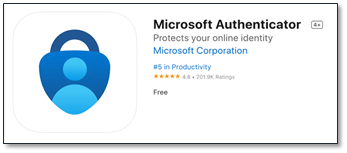
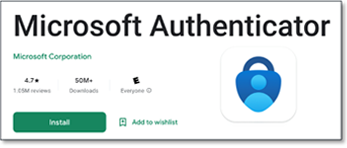
1. Before you add authentication methods, download the Authenticator App to your mobile device. Search for the Microsoft Authenticator App in the Apple Store or Google Play. The logo is the same for both.

2. Follow the instructions within the app to set up your account using your Delaware Tech credentials.

3. To begin adding authentication methods, log into Microsoft Office with the following link: https://mysignins.microsoft.com/security-info

Apple Devices:
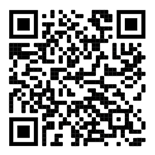
Microsoft Authenticator Barcode for Apple IOS
Download MS Authenticator for Apple Devices

Android Devices:

Microsoft Authenticator Bar Code for Android
Download MS Authenticator for Android Devices

4. Select”Add sign-in method.”

Step 4: Add sign-in method

5. Select the drop-down menu and choose which method you would like to use. (We recommend the Authenticator App.) You can add as many as you would like.

Steps showing how to add a method

6. Once you have added your Authentication methods, go to Default sign-in method, and select “Change.”
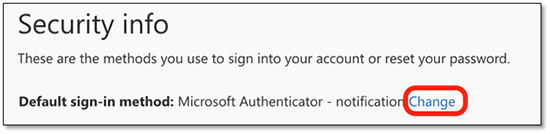
Security Information Box

7. Select whichever authentication method you would like to have as your main way of verification. You are now ready for MFA.

Success

For more information on MFA visit: https:it.dtcc.edu/multi-factor-authentication

Delaware Technical Community College is an equal opportunity employer and educational institution. Delaware Tech does not discriminate on the basis of race, color, creed, religion, sex (including pregnancy, childbirth, and related medical conditions, sexual orientation, and gender identity), national origin (including limited English proficiency), age, disability, marital status, veteran status, or political affiliation or belief, or, against any beneficiary of, applicant to, or participant in a state or federal financial assistance program or any other classifications protected by federal, state, and local law. Auxiliary aides and services are available upon request to individuals with disabilities. TTY: (800) 232-5470 delawarerelay.com. Reports of sexual misconduct and/or discrimination, involving any student or employee of Delaware Technical Community College should be directed to the Title IX/Civil Rights Coordinator, at civilrights@dtcc.edu, (302) 857-1903. Reports may also be mailed in writing to Delaware Technical Community College, P.O. Box 897, 100 Campus Drive, Dover, Delaware 19904. Learn more about Title IX/Civil Rights at the College and Equal Opportunity is the Law (PDF).

Digital AccessibilityPrivacy Policy

© 2026 Delaware Technical Community College

To top